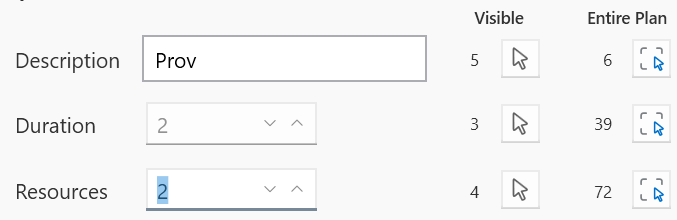
This tool is available in the Manage View and the Pull View and can be used to search for tasks by ID, Description, Duration, or number of Resources. You can use it to search within the visible tasks or the entire plan (if in the Manage View).
Search by Task ID or External ID
Task ID 1 and Task ID 2 work the same. Type a Task ID in either box (it can also be an External ID of an imported task). The Focus button will bring the task to become the center of the view and will ask you if you want to show the task if it is hidden. The Select button will work the same but will also select the task instead of just bringing it to focus. The focus button can be used to find a task without dropping a previously selected set of tasks. The Select button will switch the selection to the newly found task so it can be edited.
You can search by Description, Duration or Resources here. The number shown under the Visible column indicates how many tasks were found in the visible tasks. The number under the Entire Plan column indicate how many tasks match in the entire plan. Clicking either arrow will select those tasks and will show them if they are hidden.