8.13. Systems
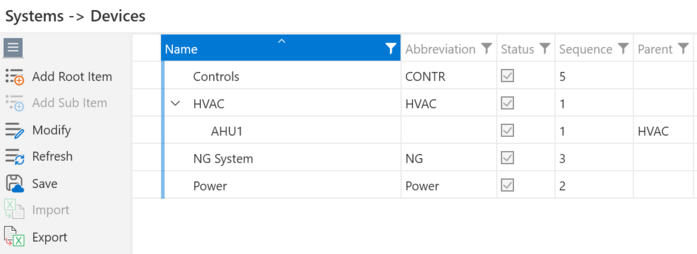
The Systems / Devices attributes are organized into a hierarchy to describe the systems and specialty devices that needed specialized pull plans and work sequences. The default labels are Systems and Devices but you can override those in the project setup to any custom labels.
The root of the hierarchy is the System attribute. Devices are sub-items of Systems.
Tagging activities by Location and by System provides a powerful way organize the work as systems during design, then manage it by location during construction and then manages it again as systems during testing and commissioning.
Managing Systems
Add Root Item - will add a System.
Add Sub Item - if you select a System, the Add Sub Item will be enabled so you can add devices under the system.