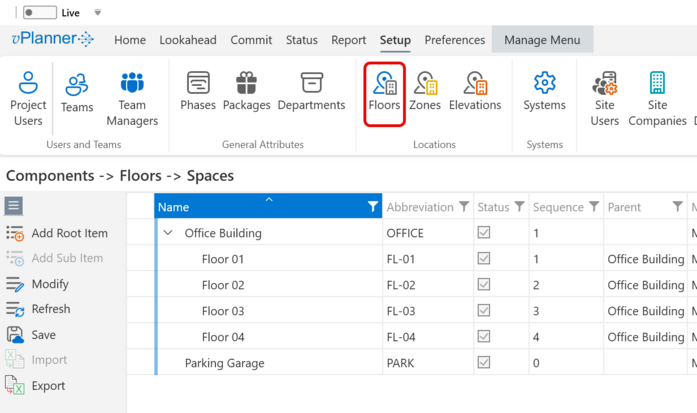
8.12. Locations
The location attributes are organized into a hierarchy to describe the work as locations in the project. They have default labels including Component, Floor, Elevation, Zone, and Space but you can override those in the project setup to any custom labels.
The root of the hierarchy is the Component attribute. Floors, Elevations, and Zones are sub-items of a Component. Spaces are sub items of a Floor.
Setting up a good location hierarchy for the project from the start will keep the tasks in the project organized and easier to find through the use of filters.
The Component tags are shared across the three set up sections and need to only be created once. Once a Component is created it will be visible in the Floors, Zones, or Elevations panels so you can create sub-items.
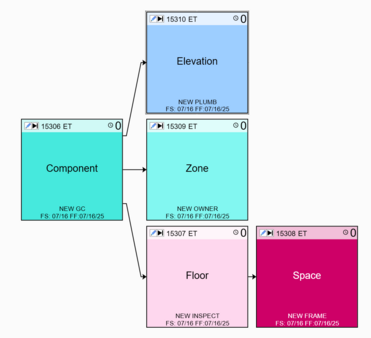
Figure 107 – Locations Hierarchy
Managing Location Items
Add Root Item - will add a Component.
Add Sub Item - if you select a Component, the Add Sub Item will be enabled so you can add items under the component. This works the same in the Floors, Zones, or Elevations panels.
Modify - will allow you to modify the selected item in the list.