6.2.1. Import vPlanner Layout
vPlanner Layout files have the *.vPlanner extension. They can be produced from vPlanner-V4 or from vPlanner-V5. They contain information about tasks, durations, and logic ties. If they are produced from the same vPlanner site, then they will also have information about the users assigned to those tasks.
You should not use this format to import entire project plans. Rather it is best used to import standard work from one project or site to another.
|
Select a file with the correct extension and click Next to see the preview.
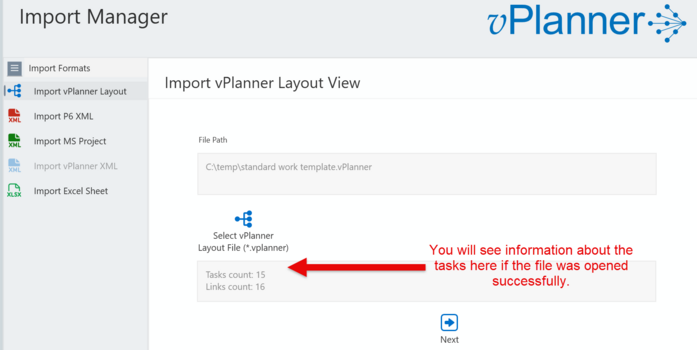
Figure 66 – Importing vPlanner Layout
You can make adjustments to the plan in the preview screen. For example add or remove logic ties or delete tasks. If you make a mistake, you can undo or switch back to the previous screen, then the next screen which will reset the preview. Once you are ready to complete the import, click the Finalize button.
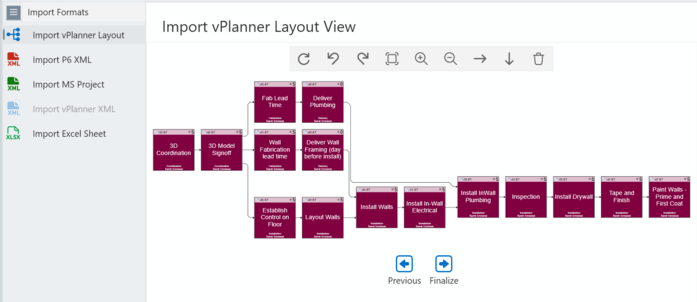
Figure 67 – Preview Screen
The imported tasks will now appear in the Manage View but will not be saved as you will be automatically switched to the semi-online mode. You can still change your mind and cancel the import or save the changes and switch to live mode from the buttons on the upper-left corner of the screen (see below).
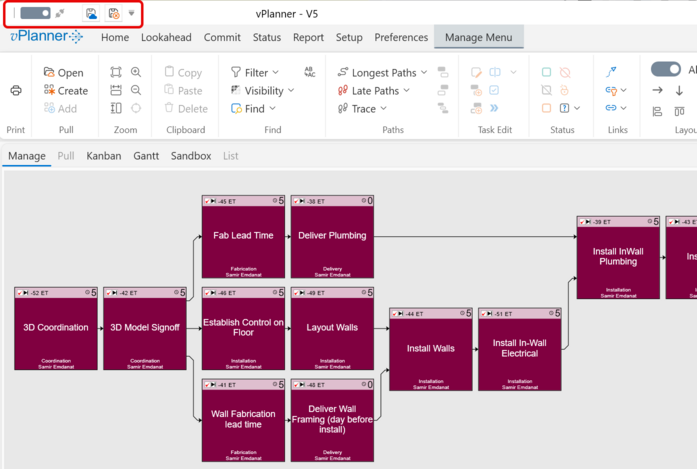
Figure 68 – The Result in the Manage View