
10.3. How to Undo a Task Status Change
If you change the status of a task by accident, you can roll back the change to the previous compatible status. From the status section of any ribbon bar, click on the More button after you make a selection. Any applicable Rollback options will be highlighted to revert the status back to the previous status. This tool will work on a single selection or multiple selections of the same status. Note that you can make multiple selections from the network views. The Gantt view and the Kanban view will only allow single task selections.
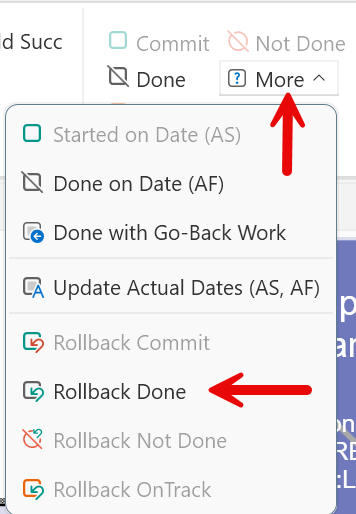
Figure 111 – Roll back a Task Status